Introduction
Create a color randomizer material for duplicates of one object in Blender
Blender Version
4.x.x
Prerequisites
An object
Steps
Go to Shader Editor
Shift+A
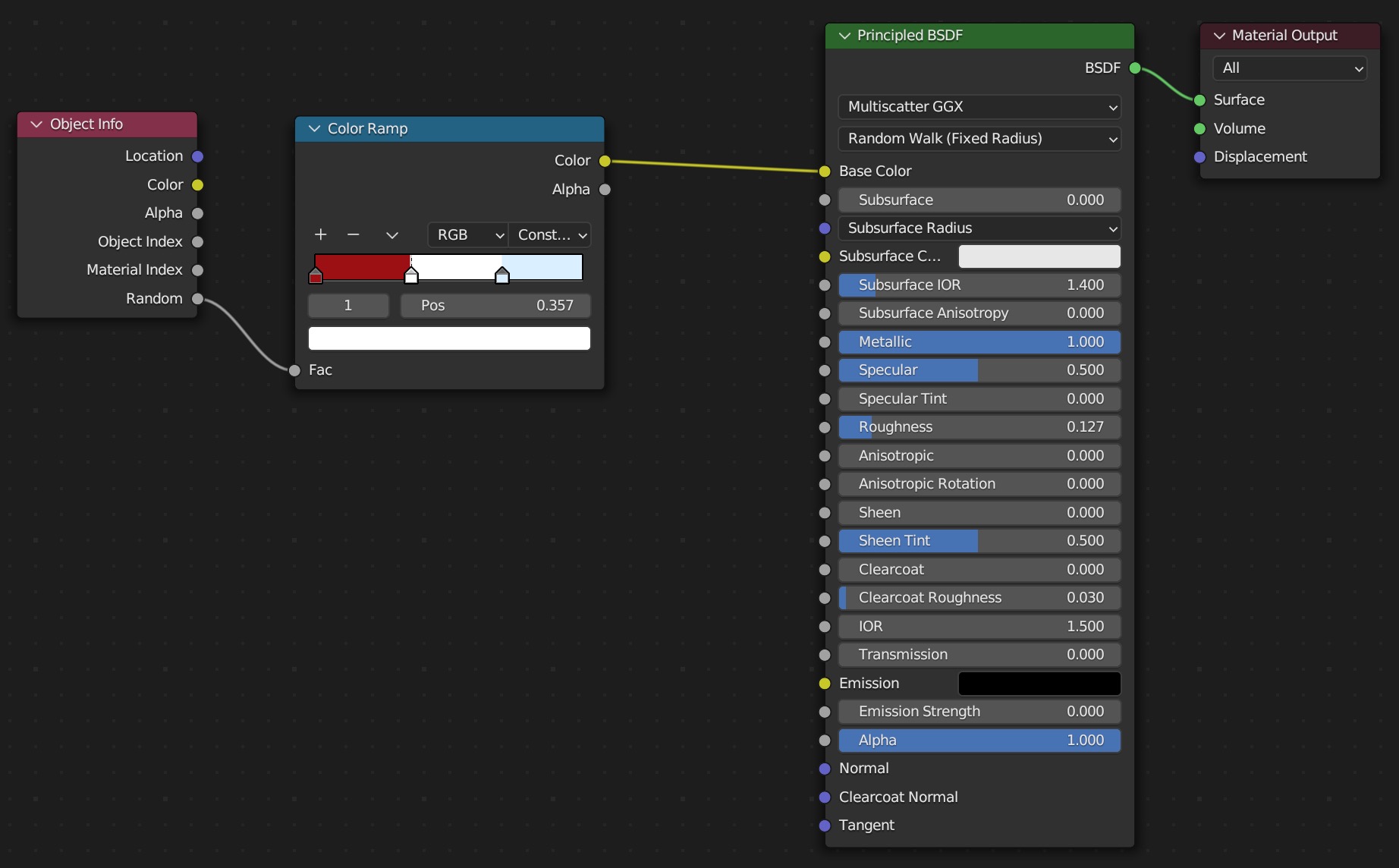
- Input -> Object Info
- Converter -> Color Ramp
- Shader -> Principled BSDF
- Output -> Material Output
Object Info
- Random output -> Color Ramp input
Color Ramp
- Click + -> change colors to desired hues
- Color output -> Principled BSDF Base Color input
Principled BSDF
- Output -> Material Output Surface input
previous page
|