Issue:
After upgrade to El Capitan, the User Portal, Voice Mail Recordings page, cannot play the audio voice mail messages.
The playback section is either empty, or you can see a missing plugin image where the message play bar should be.


Solution:
1. Return to Finder.
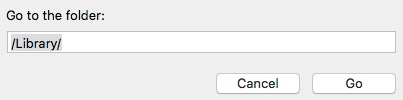
2. Under Go, Choose Go to Folder...
3. Type /Library/ and click Go.
4. Open Internet Plug-Ins folder. Open Disabled Plug-Ins folder.
5. Drag and drop the QuickTime Plugin.plugin and the related xpt file one up folder/directory to the Internet Plug-ins folder.
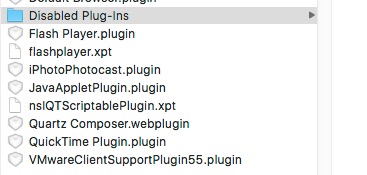
(We actually had to drag-n-drop, which created copies of the files, and then Move to Trash the disabled / original files.)
6. Restart Firefox and/or Safari and try again.
previous page
|