Task:
Get the Invoice button "Send Email" functionality working in QuickBooks.
Overview:
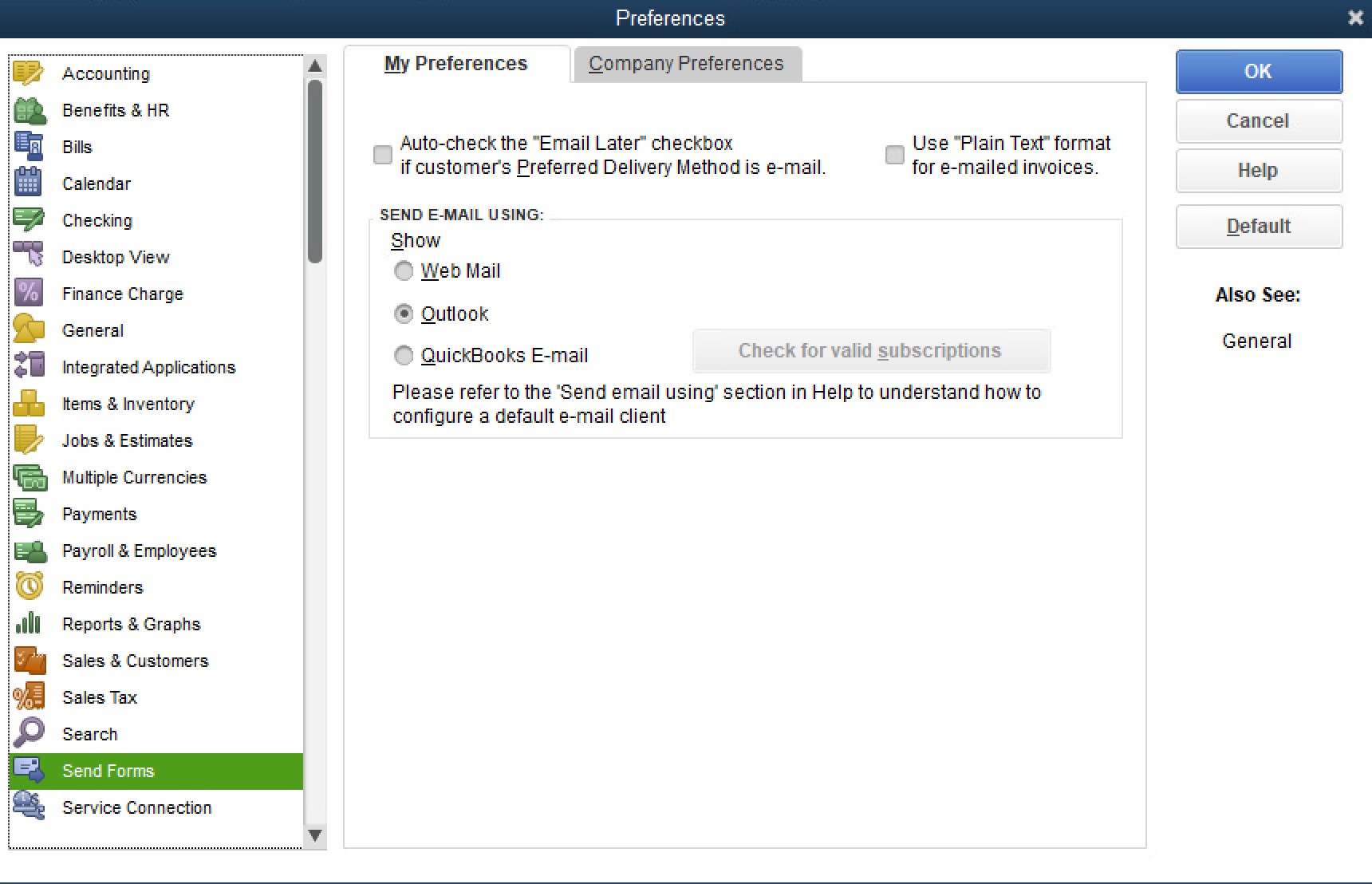
The functionality is set-up on the Preferences page: Quickbooks --> Edit --> Preferences
This page has 2 or 3 options for sending email:
- Web Mail allows use of GMail, MS Online/365, and any generic via Other.
- Outlook (which doesn't display unless Outlook 2016 classic is configured)
- QuickBooks service (dimmed out)
Preferences - Web Mail Option - Broken:
Since we are sending various documents where security is required, the strong preference is to use the corporate mail gateway which can intake mail via SMTP in two ways. That is the Web Mail --> Others option. In this corporate environment, we have multiple options:
- Mail Gateway:
- - Port 25 insecure and with STARTTLS and no login where the server has a white list of network subnets and IPs allowed
- - Port 587 submission with TLS which requires login with the email account and password
- Internal Mail (SMTP) Servers:
- - Port 25 with STARTTLS and no login for whitelisted subnets
- - Port 587 submission with TLS requiring login with the email account and password
QuickBooks will not work with either set-up. If using port 25 or 587 w/o the TLS/SSL checkbox, QBs does present the password dialog which eludes that the saved email and password in the Preferences page was either used and rejected or not used and it just wants a manual password try. With TLS enabled, no password is ever presented and QuickBooks times out trying; the mail gateway and mail servers tried never show the connection.
We configured Outlook on the QB workstation with secure IMAP (993 TLS) and secure outgoing SMTP (25 with STARTTLS) or SUBMISSION SMTP (587 with TLS and email/password login) to both the mail gateway and the internal mail servers. Using either port (25 or 587) with either the gateways or the mail servers, the Outlook client worked to receive and send mail. No local firewall issue, no network issues, issue has to be with QuickBooks.
Preferences - Outlook Option - Nothing:
With Outlook configured, we expected the new QB workstation to show the 3rd option, like it did on the old Windows 7 machine and the old Outlook (now classic) client. Not there.
The QB troubleshooting article (fix-error-quickbooks-unable-send-email-outlook) has a MAPI32.dll repair option w/MS Word. The steps are:
a. MS Word --> New document
b. Add any test text --> File --> Send --> choose the Email as PDF Attachment option --> Send
This caused the old Outlook classic client to launch with the Accounts preference pane. Unlike the current Outlook client, there is no account set-up. We completed the set-up to the mail server with secure SMTP submission (port 587 with TLS). The Word document was received.
We did NOT perform the fixmapi.exe section of that QB technote.
We restarted the workstation. We started QuickBooks and the Outlook client option was not there, but decided to test the Web Mail option, tried all the variants above again, and the attempts timed-out as now typical.
We closed the current Outlook program. We opened the Outlook classic one (now pinned to the task bar), and confirmed the Word email was in its Sent folder - it was. Sent a test message. Returned to QuickBooks preference page, and a half-second or so, the 2nd option for Outlook displayed. The functionality is now working again. We closed QuickBooks; opened QuickBooks, the Outlook option remains on the Preferences page. We navigated to an invoice, click the Send Mail, which opened in the Outlook classic client, which was reviewed and Sent successfully.
We removed the current Outlook pinned to the task bar, and the Person is happy to have the functionality working again, and thankful that its in the old client which is "better" and "easier" anyway.
previous page
|