Issue:
After login, a dialog appears requesting that you reload the vSphere web client:
"An Internal Error has occurred - Unable to load resource module from /monitoring-ui/locales/monitoring-ui-en_US.swf"
Previous Actions:
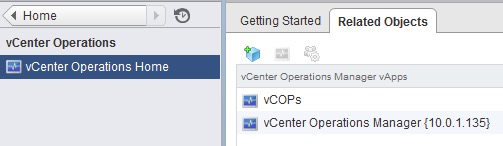
Installed/upgraded old vRealize Operations Manager to new 5.8 version. Afterwards, old server IP entry and new entry both exist in the vCenter Operations Manager view.
(Home --> vCenter Operations Manager).
Issue persisted.
Resolution:
1. Logged into server. Ignored dialog and answer No to reload.
2. Clicked Home icon.

3. Clicked the vCenter Operations Manager option.
4. Clicked the Highlighted the entry to the vCenter 5.8 Operations Manager. Clicked the center icon to open the admin page.
5. Logged in with the default web login. ( admin / admin )
Completed the wizard screens. After submitting the last page, a warning displayed that there was already a setup in vCenter. It asked if I wanted to force a new registration and remove the old one. I clicked Yes. After a few minutes, the normal dashboard screen displayed. I closed the tab and returned to the vCenter/vShere Web Client. I clicked the refresh icon and the correct information now displayed.
previous page
|