Issue:
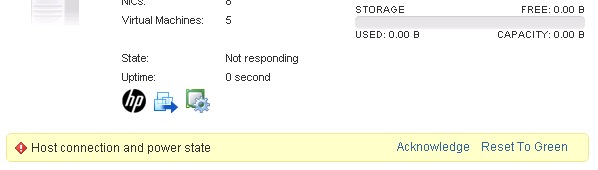
After power glitch in network, hosts have alarms in vCenter. Errors are listed below:
"Host connection and power state"
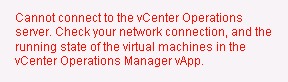
"Cannot connect to the vCenter Operations server. Check your network connection, and the running state of the virtual machines in the vCenter Operations Mannager vApp.
Troubleshooting and Resolution:
1. Connected to hosts directly in vSphere desktop client, and the vSphere web client.
a. Connection to bulk of hosts directly shows a responsive host with no issues locally.
b. Connection to one host via vSphere client and Firefox is unsuccessful. Connection to ILO remote screen shows that host's management network is in wrong subnet (data subnet) instead of mgmt subnet of network. Restart of Management Network twice solves issue. vSphere client can now locally open the host.
2. Confirmed DNS and IP routing working in mgmt network.
3. To fix the servers in vCenter 5.5, I had to right-click hosts, go to All vCenter Actions --> Click Connect.
(Interestingly, all but the 1b server had both Connect and Disconnect available.)
That gave me an error message about connectivity, along with another error message about HA availability being compromised for host. Then the connection dialog appears. I tab through the host name, enter the login info, and connect again. That works for each server.
previous page
|