Issue:
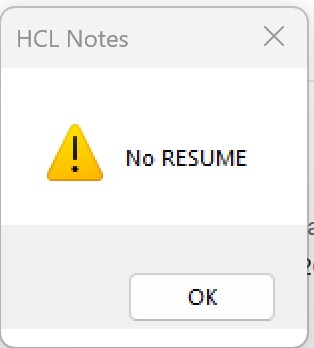
When replying to an email, a Person might get an error message box with "No Resume" after the new (draft) Reply displays.
Cause:
The cause duplicates the issue with the mail12.ntf template version before the 03/08/2023 update (HCL KB0103815). The error No Resume displays when the parent original memo is missing and the NoteID passed is null. Typically, this is when the archive policy allows older messages that are part of a thread to be archived, when newer replies exist. When a reply to the reply is composed, the parent $Ref is empty/missing, and we see the error. This can also take place when People manually back-up and don't realize they are backing up a main memo but not a reply. This can also happen if they reply from the mailfile archive mail file on the Domino "archive server" when the archive mail file has the reply, but not the memo.
Workaround/Solution:
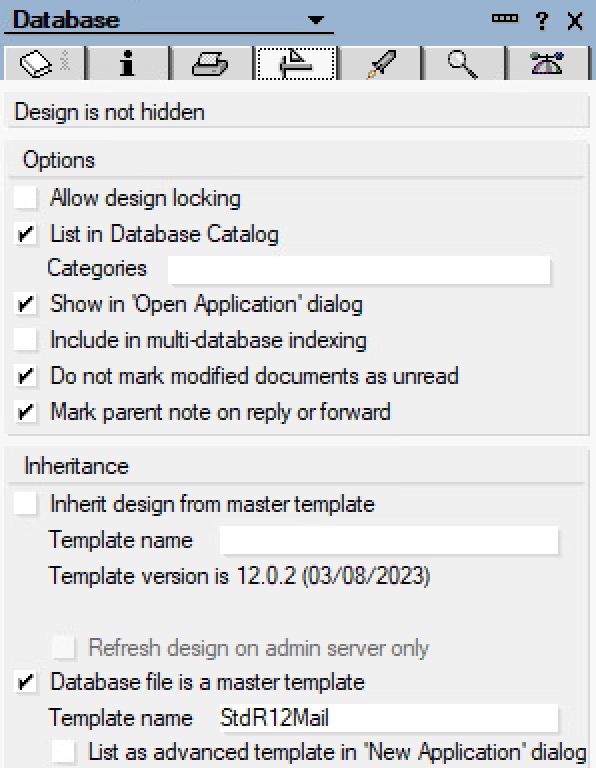
The Common script library's MEMOReplyToAll sub still has an issue; update the sub and properly exit the sub and fix the error handler.

1. Open the mail12.ntf template in Designer:
Domino Admin (client) --> choose Domino Server (left menu selection) --> Files (tab) --> /local/notesdata (root data folder) --> Show Me: Templates Only --> locate Mail (R12.0.2) - mail12.ntf --> right-click, choose Open in Designer
2. Update the common script library:
a. In the Designer client with Mail (R12.0.2) open, select Code (twistie) --> select Script Libraries (twistie) --> double-click the Common library to open it.
b. Under Objects (tab) --> select/click the MEMOReplyToAll sub
c. Scroll down to the bottom of the code. The code will end like below:
 ...

	Call session.SetEnvironmentVar("OwnerAliases", "")

HandleError:

	If Err() = 156 Or Err() = 4091 Then

	Resume Next

End If

End Sub
d. Repair the bad section displayed above. We are going to add a proper exit and update the handler so it quietly exits properly.
 ...

	Call session.SetEnvironmentVar("OwnerAliases", "")


	' 2026/05/21 MW TB

	' added SExit and Exit Sub

	' added Else with Resume SExit

SExit:

	Exit Sub

HandleError:

	If Err() = 156 Or Err() = 4091 Then

	Resume Next

	Else

		Print "(Common Script Library - MEMOReplyToAll Sub) Error" & CStr(Err) & ", " & Error$ & ", line: " & CStr(Erl) & "."

		Resume SExit

	End If

End Sub
e. Save the Common script library.
<ctcl><s>
or
File (top menu) --> Save
3. Back in the Admin client, on the Files tab still:
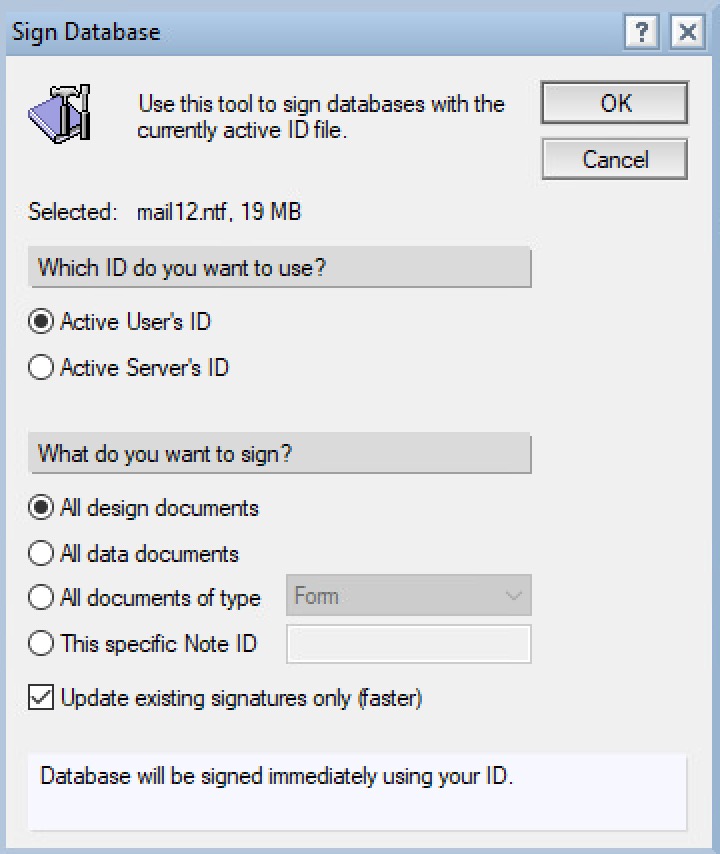
a. locate Mail (R12.0.2) - mail12.ntf --> right-click, choose Sign ...
b. In the Sign Database dialog:
- Active Server ID: <selected>
- All design documents: <selected>
- Update existing signatures only (faster): <checked>
- Click OK (button)
4. Wait at least 10 seconds, or better yet, a minute for the signing to occur.
Notes:
- At this point the repair is complete.
- Wait overnight for the design refresh (typically 1 AM) to auto-populate the update into all the mail files.
- Otherwise, test by opening a mail file, and performing a manual refresh design. The manual refresh occurs in the background, the Notes client's status bar (bottom) will show what is updated.
e.g. My Mail File --> File (top menu) --> Application --> Refresh Design ... --> In the dialog, choose my Domino server, click OK (button)
previous page
|